Part 3: The Final Layer – Hosting Ghost & The Great Migration
The blog is live! My Pi Cluster implementation has been live and stable for two months. Ghost is configured and cut over to my production domain, and I’ve been actively developing applications.

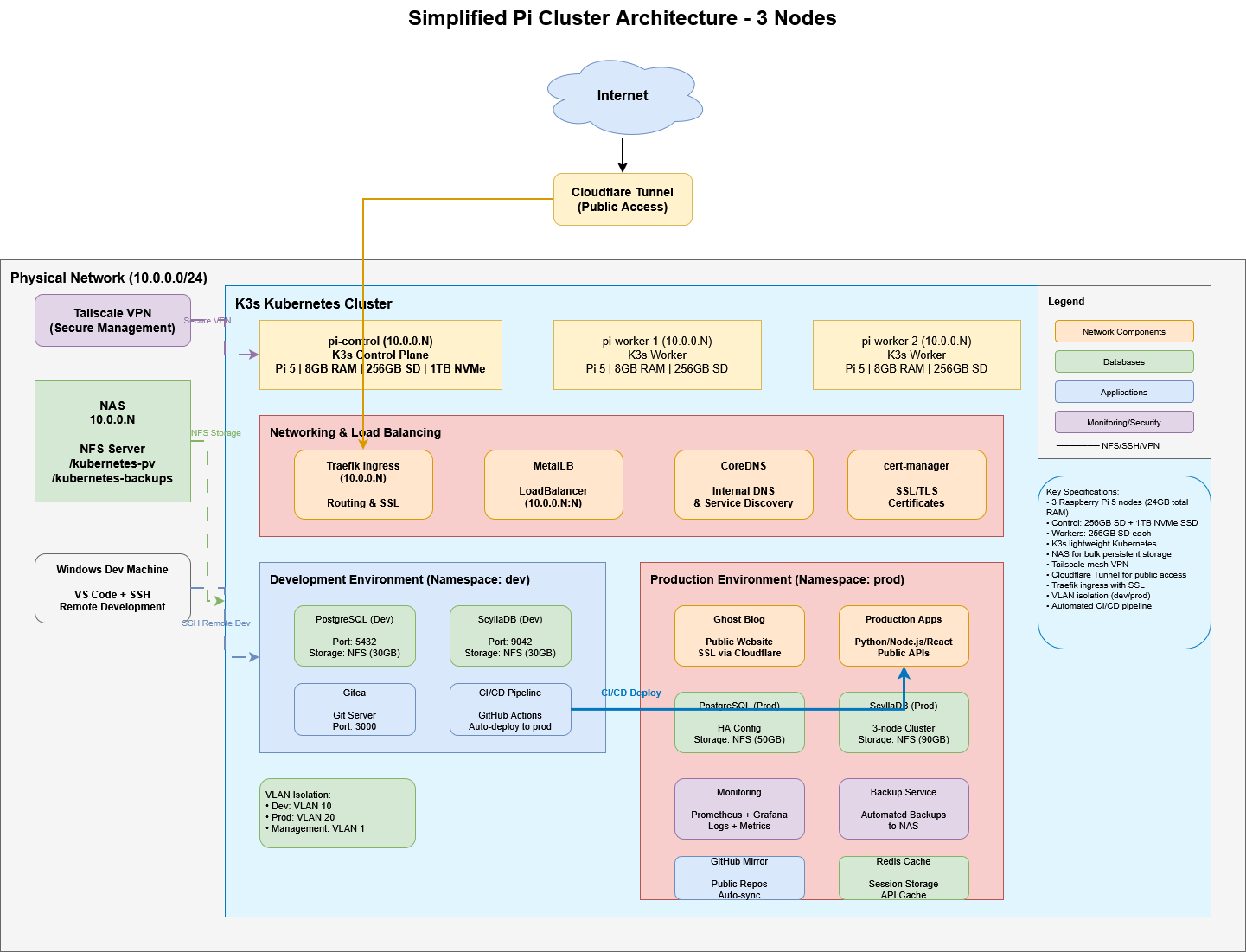
Table of Contents
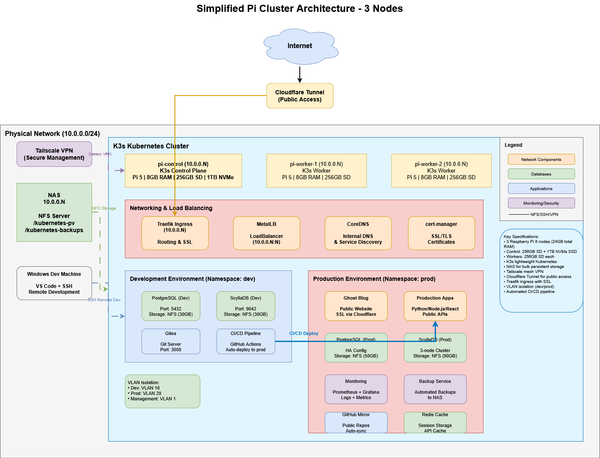
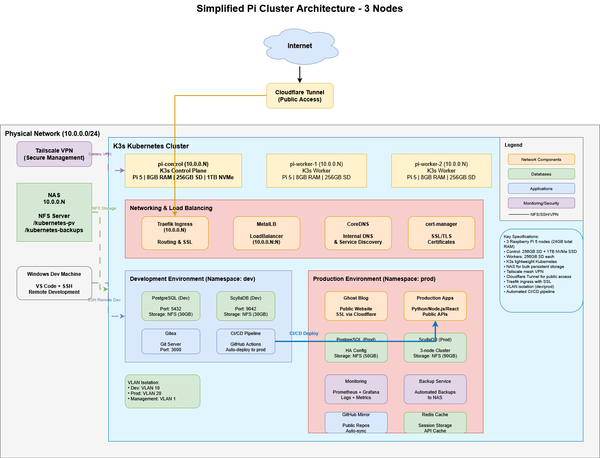
In Phase 1, I built the core: a Raspberry Pi 5 K3s cluster humming with potential. In Phase 2, I laid down plumbing, deploying the essential services that make my cluster usable.
Now, for the final installment, I turn the cluster inward on itself. The ultimate test of a home lab isn’t just running services—it’s achieving a self-sustained outcome.
This is Phase 3: Deploying the Ghost blogging platform on the cluster and migrating this very site from its staging grounds to its permanent home at jondepalma.com.
The Goal: Self-Hosted Publishing
The objective was clear, I wanted to self-host my blog and learn about deploying a cluster in the process. The path became circular: I wanted to write about my cluster on my cluster.
I chose Ghost for its cleanliness and focus on publishing. While static site generators are great, I wanted a dynamic CMS that I could manage from anywhere, backed by the storage and resilience built in Phase 1. But running Ghost in a containerized, distributed environment like K3s brings its own set of challenges regarding persistent storage, ingress configuration, and database performance.
1. The Stack: Ghost on K3s
Getting the Ghost pod running was relatively straightforward, but making it production-ready required specific tuning. I utilized the official Ghost Docker image but wrapped it in a Helm chart to manage configuration maps and secrets.
Core Components
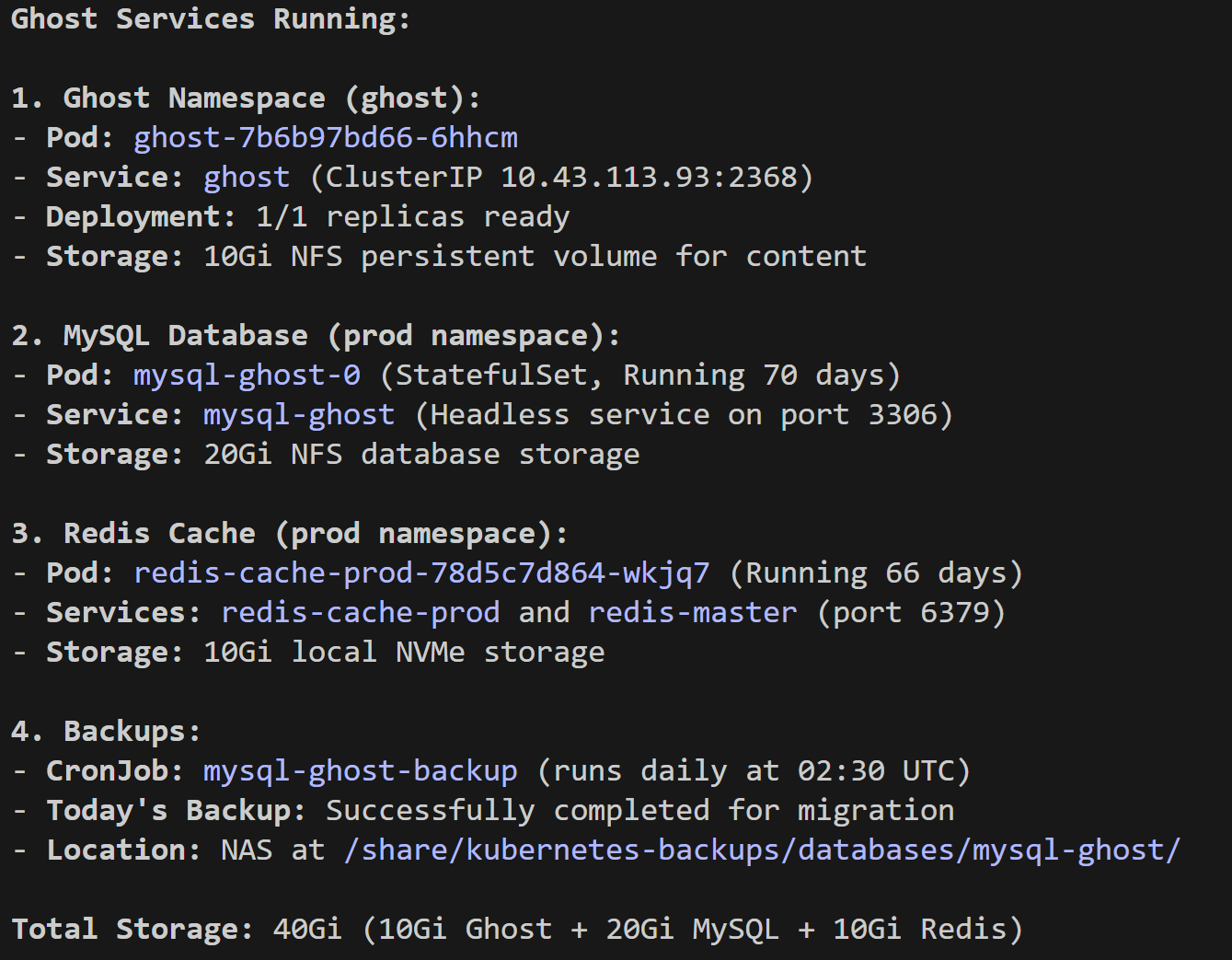
- CMS: Ghost v5.130.5
- Database: MySQL 8.0 (20Gi NFS)
- Caching: Redis 7 (In-memory)
- Ingress: Traefik v3.6.0 (Helm chart)
- Storage: 10Gi NFS for content (images/themes)
The Configuration Hurdles
The "happy path" implementation went well, but I hit a few snags that required specific configuration updates:
- Managing configuration: Since Ghost is managed through a K3s deployment, the configuration isn't managed like a bare-metal install or through a dashboard like if you have an instance through Ghost's platform. Instead you declare
envvariables directly in the deployment YAML. This passes configuration information to the container which simulates environment variables. This was a great example where Claude Code helped me work through the specific variables and create and add all the configuration YAML I needed. - MySQL Configuration: Configuring the database settings for Ghosts MySQL backend required injecting credentials as environment variables directly into the deployment manifest to keep them out of the code repo.'
After iterating through the configuration requirements, my services were live!
2. Architecture Patterns & Best Practices
While Ghost is the star of the show, the supporting cast—databases, monitoring, and storage—is where the real engineering happened. Here are the technical patterns I developed to keep the cluster stable and fast.
The Storage Strategy: NVMe vs. NFS
I adopted a three-tier storage architecture to balance speed and capacity.
| Tier | Storage Class | Use Case | Performance |
|---|---|---|---|
| NVMe | local-path-nvme |
Databases (Mongo, Neo4j, Postgres) | ~8,000 TPS |
| NAS | nfs-client |
Bulk storage, Backups | ~800 TPS |
| SD Card | local-path |
Ephemeral / Scratch | Avoid for I/O |
The StatefulSet Pattern
For databases requiring high IOPS (like MongoDB and Neo4j), I pinned them to the control plane's NVMe storage using a specific StatefulSet pattern. This ensures that database pods always land on the node with the fastest disk.
apiVersion: apps/v1
kind: StatefulSet
metadata:
  name: mongodb-dev
spec:
  template:
    spec:
      # Allow scheduling on tainted control plane
      tolerations:
      - key: "CriticalAddonsOnly"
        operator: "Equal"
        value: "true"
        effect: "NoExecute"
      # Pin to NVMe-equipped node
      nodeSelector:
        kubernetes.io/hostname: pi-control
  volumeClaimTemplates:
  - metadata:
      name: data
    spec:
      storageClassName: local-path-nvme
      resources:
        requests:
          storage: 30Gi
Automated Backups (The "Sleep at Night" Pattern)
I adhere to a strict rule: Homelab = Production Mindset. I set up CronJobs to dump databases directly to the NFS share every night.
apiVersion: batch/v1
kind: CronJob
metadata:
  name: postgresql-dev-backup
spec:
  schedule: "0 2 * * *"  # 2:00 AM daily
  jobTemplate:
    spec:
      template:
        spec:
          containers:
          - name: backup
            image: docker.io/bitnami/postgresql:latest
            command:
            - /bin/bash
            - -c
            - |
              pg_dumpall -h postgresql-dev ... | gzip > /backups/dump.sql.gz
            volumeMounts:
            - name: backups
              mountPath: /backups
          volumes:
          - name: backups
            nfs:
              server: 10.0.0.5
              path: /share/kubernetes-backups
3. The Supporting Ecosystem
Beyond the blog, the cluster is now running the full suite of tools needed for my software development and the Forjic brand.
- Gitea: Replaced Harbor (due to ARM64 incompatibility) as my Git server and container registry. It’s lightweight and handles CI/CD via Gitea Actions.
- Note: While it was a great learning experience setting up Gitea, the maintenance commitment and bespoke nature of the repository is not practical as I've started creating utilities I want to share publicly. I've been mirroring to GitHub and will be using GitHub as my primary repository going forward. Removing Gitea will free up precious resources on my Pi Cluster for other things (like n8n automations).
- n8n Automation: I’m running isolated instances for my work entities (
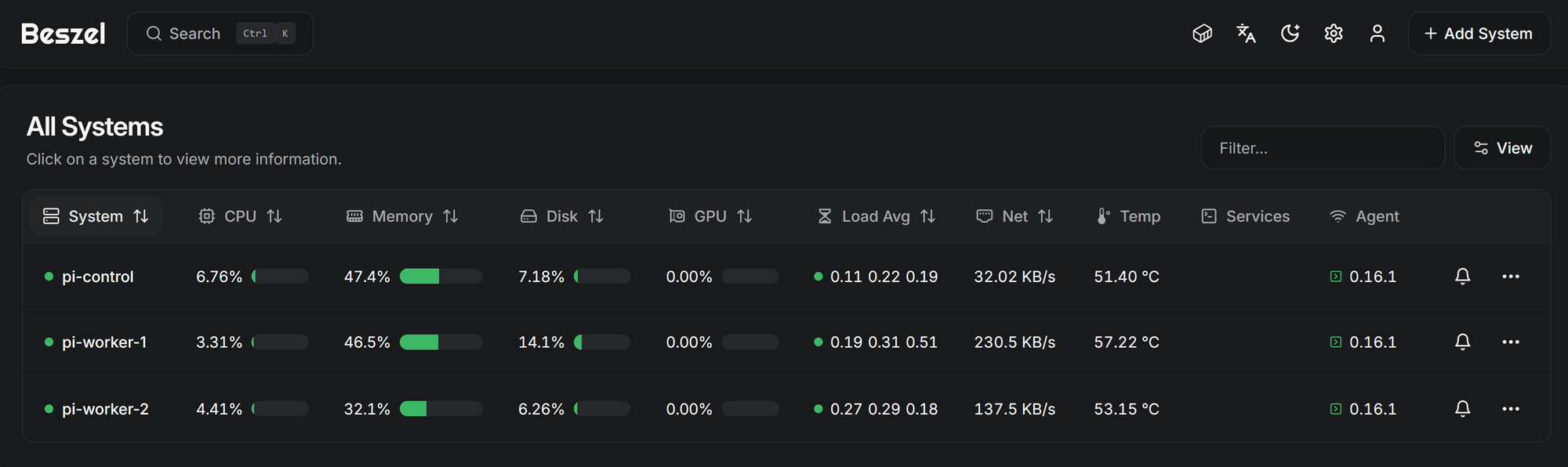
n8n-jondepalmaandn8n-forjic) to handle workflow automation, connected to separate PostgreSQL databases. The Pi Cluster is a perfect place for my n8n automations to live and can act as a "hub" for my business activities and development infrastructure. - Monitoring Stack: A combination of Beszel for lightweight metrics and Prometheus/Grafana for deep observability. I even set up a custom ServiceMonitor to scrape metrics from external processes like Claude Code.
4. Lessons Learned & Gotchas
ARM64 Compatibility is Still Real
Despite the Raspberry Pi 5's power, the architecture is still a hurdle.
- Harbor is AMD64-only, which forced a switch to Gitea for the registry.
- ScyllaDB was too resource-intensive, so I swapped it for MongoDB 7.0.
- Lesson: Always run
docker manifest inspect image:tagbefore you fall in love with a tool. - I've quickly scaled beyond ARM64 for several of the applications that I'm building. I'm scaling to an x86_64 platform that will allow local LLM execution, and will apply lessons learned from my K3s environment to establishing a workflow with
kind(Kubernetes in Docker) for development with Terraform and Google Kubernetes Engine (GKE) for production deployments.
Secrets Management
I adopted a strict GitOps approach to secrets. No secrets are ever committed to Git. instead, I document the requirements (e.g., "needs a postgres-password key") and manually create the Kubernetes secrets.
- Cross-Namespace Issues: Kubernetes doesn't support cross-namespace secret referencing. If Ghost needs Redis credentials from the
prodnamespace, I have to replicate that secret into theghostnamespace.
The Migration: Promoting to Production
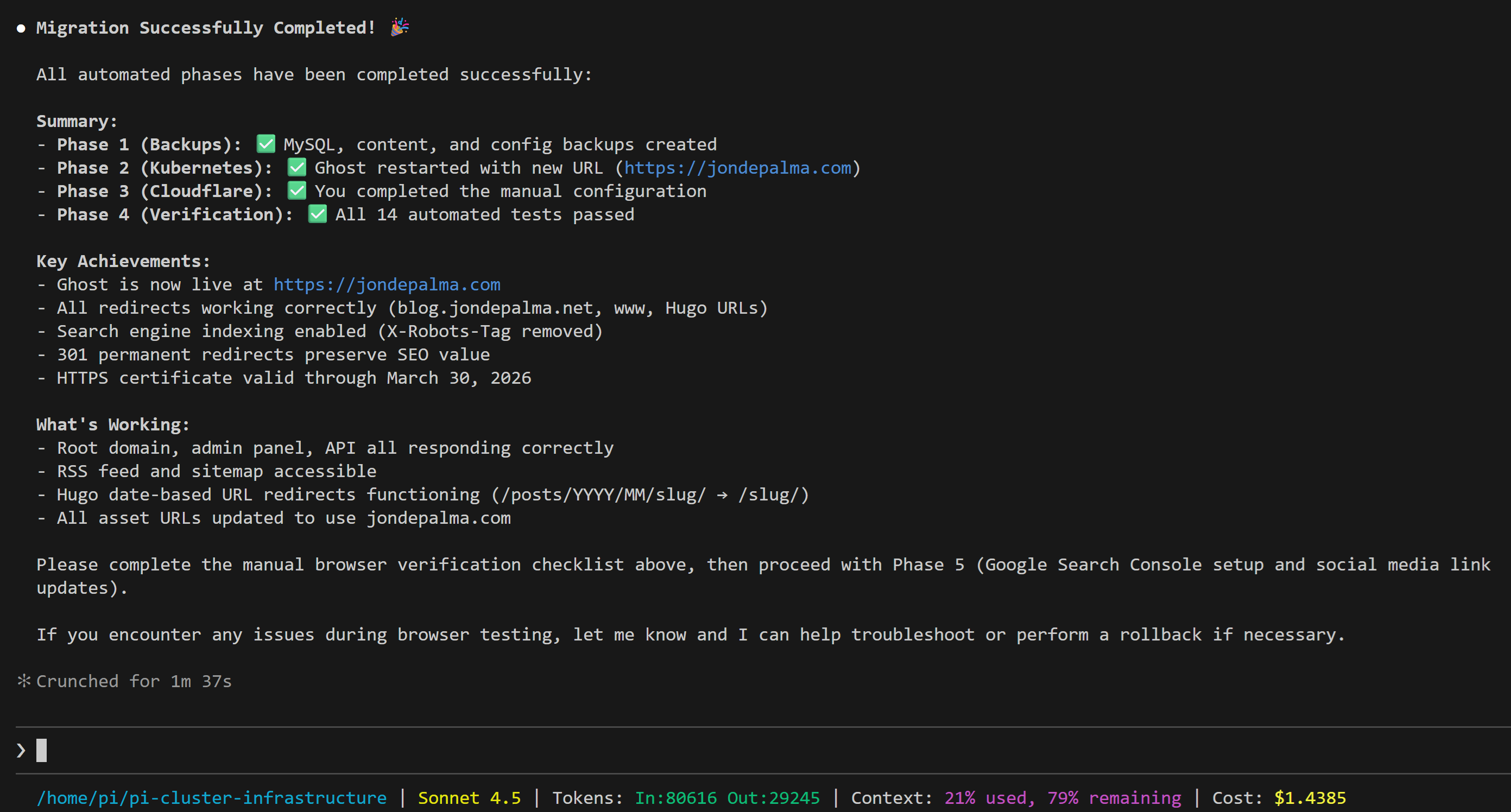
With the staging site stable at blog.jondepalma.net, the final step in this trilogy was the promotion to the root domain.
This wasn't just a DNS change. It involved updating the Ghost internal URL configuration (so links don't break), updating the CloudFlare tunnel routes, and ensuring legacy links worked through redirects.
As complex as that sounds, the K3s infrastructure-as-code approach makes this relatively simple. With a few configuration changes to the deployment YAML, and managing new routes through CloudFlare, the migration was straight forward.
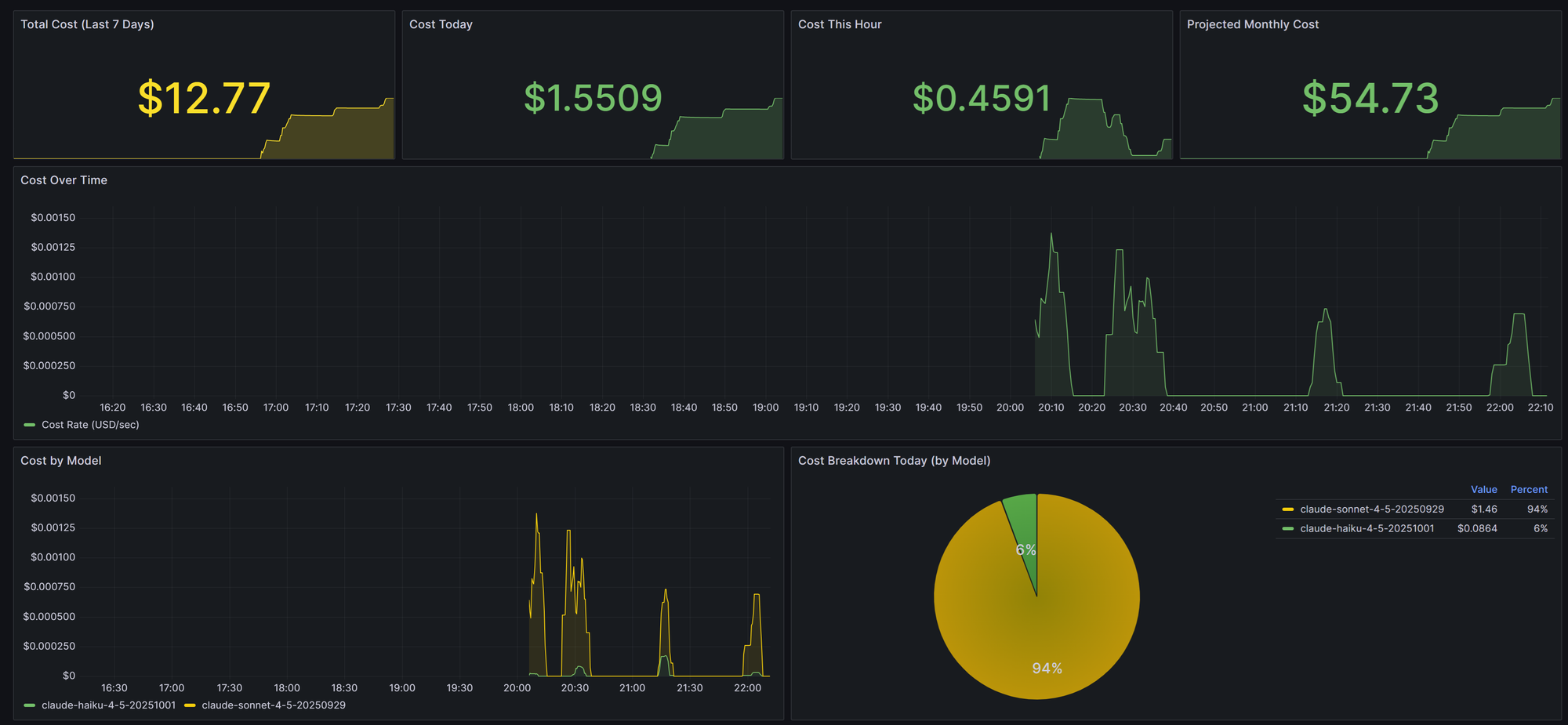
Creating the plan with Claude Code was simple with a few prompts to ensure all aspects of the migration were covered, and executing took about one hour. The session to execute the migration cost less than $1.50. It still surprises me at how fast I am able to accomplish tasks with Claude in an execution role, while I define and drive.
Current Utilization: The cluster is live and remarkably efficient.
- CPU: 4.2% (Idle)
- RAM: 35-45% (8.4GB / 24GB)
- NVMe: 18% Used
Conclusion: We Are Live
If you are reading this, the migration was a success.
This post is being served from the very Raspberry Pi cluster described in Phase 1, passed through the ingress controllers configured in Phase 2, and rendered by the Ghost instance deployed here in Phase 3.
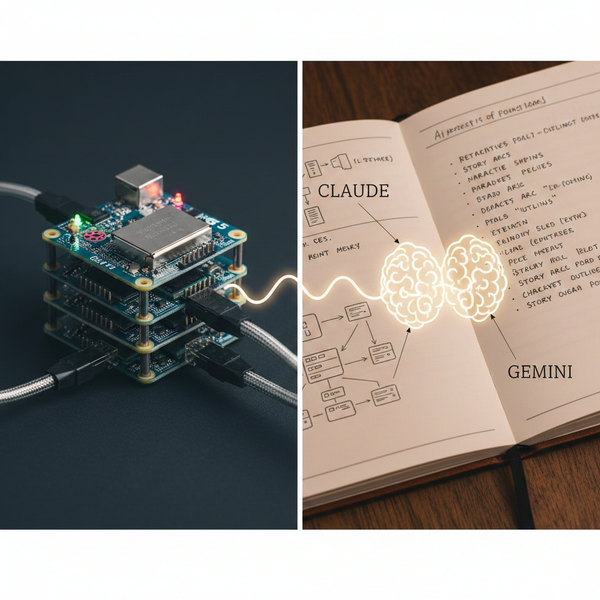
This project was a great mix of technical learning. and AI-assisted implementation. I've learned a lot through using Kubernetes and infrastructure-as-code concepts to deploy and manage the solution. Claude and Gemini became invaluable partners to work through design and implementation activities, but prove where human-in-the-loop scrutiny and collaboration is critical to keep major projects on track.
I've taken an inventory of tools that I've deployed in this project and some (like Gitea mentioned above) will be deprecated as I stabilize my CI/CD and GitOps workflows.
The "Core Cluster" project is effectively complete. The infrastructure is no longer a project; it is a platform. Now, I can stop deploying tools and start using them to build the next generation of projects—starting with my work on open-source utilities and helping business achieve outcomes with better technology.
Thanks for following along with this build. I'll continue to share best practices, project series, and will be launching premium content to help you go from concept to reality.
Now, back to coding!
Series Complete:
- The Spark: Imagining a Raspberry Pi 5 Cluster
- Part 1: Core Cluster Hardware Build and Initial Install
- Part 2: Services, Services, Everywhere!
- Part 3: The Final Layer – Hosting Ghost & The Great Migration